
On this page
Teams searching for AyHire alternatives Claude Cursor options may be trying to solve one of two different problems. You may want another way to find developer candidates, or you may want to access AyHire from the coding agent your team already uses. The practical answer is to choose between direct AyHire access, AyHire through Claude Code or Cursor, another supported agent, and a manual research process.
AyHire is a hiring research tool that searches public GitHub work, evaluates developers against role requirements, and produces evidence-linked profiles for review (AyHire). Claude Code and Cursor are also access routes to AyHire through MCP, so they are not confirmed substitutes for its candidate research in the information available here.
Why do people look for alternatives?
People look for alternatives when they want to keep hiring work inside an existing agent, need more control over each research step, or prefer to review public profiles themselves. The right route depends on whether you want a candidate discovery system, an agent interface, or a manual process that your team defines.
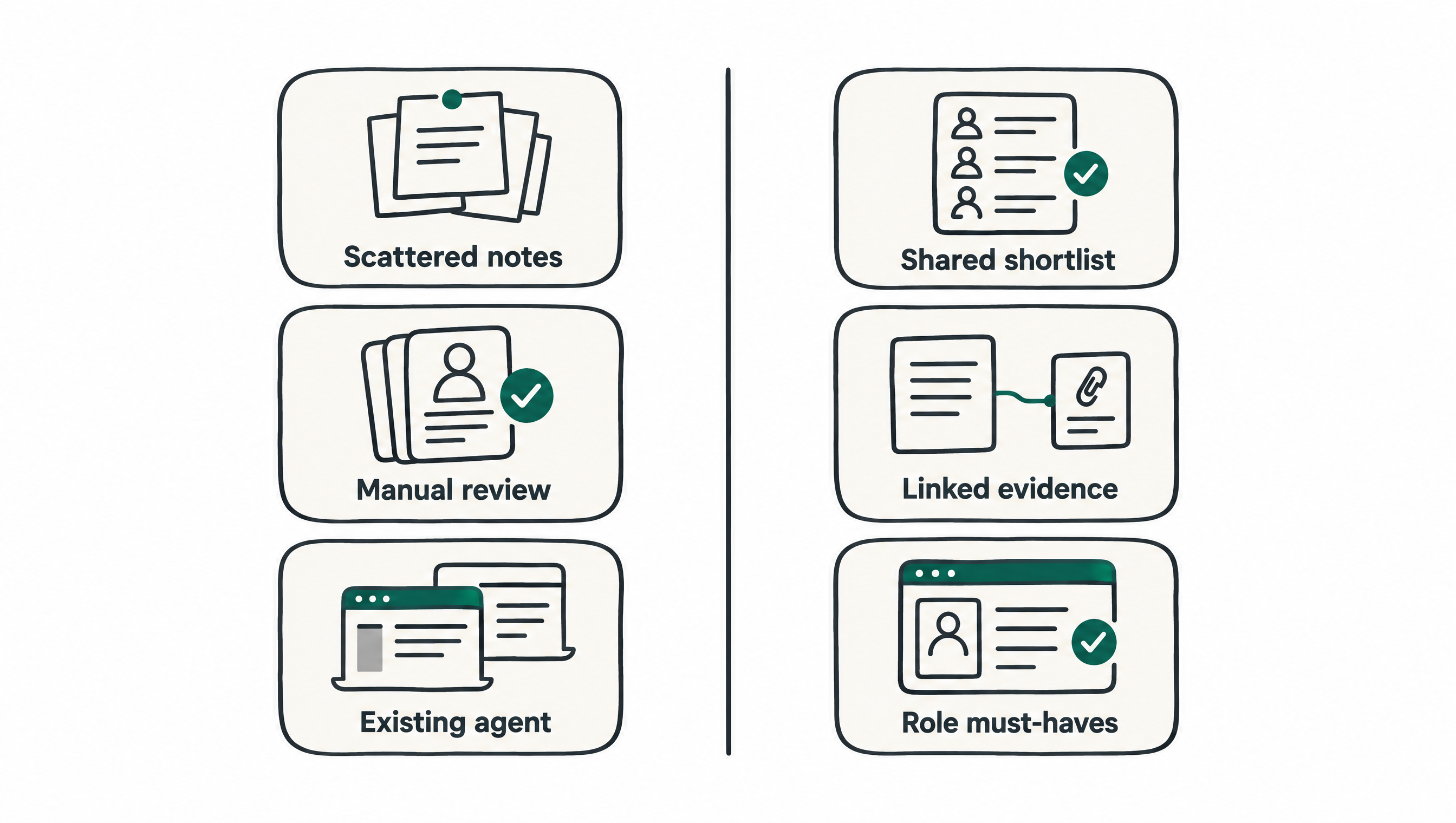
Common reasons include:
- You already work in Claude Code or Cursor and want hiring research there.
- You want to inspect every GitHub profile without an automated assessment.
- You need candidate findings tied to your role's must-haves.
- You want a shared shortlist rather than scattered notes.
- You need to understand which tool performs the search and which tool provides the interface.
That last distinction matters. AyHire performs developer candidate discovery and makes its role searches and shortlists available through Claude Code, Codex, Cursor, and other agents over MCP (AyHire). Changing the interface does not necessarily replace the underlying candidate research tool.
What routes can you compare?
You can compare four practical routes: AyHire on its own, AyHire through Claude Code or Cursor, AyHire through another compatible agent, and manual GitHub research. We have not ranked them because the right choice depends on your workflow, and no separate named candidate discovery products were confirmed for a fair product ranking.
| Route | What it does | Best for | Pricing basis | How it differs from direct AyHire use |
|---|---|---|---|---|
| Direct AyHire access | Searches for developers and evaluates public profiles against role must-haves | Teams that want a dedicated hiring research workflow | Not published | Uses AyHire without placing an agent between the user and the search |
| AyHire through Claude Code or Cursor | Makes AyHire role searches and shortlists available through an existing agent over MCP | Teams already working in one of these agents | Not published | Changes where the team requests and reviews AyHire work |
| AyHire through another supported agent | Provides access to role searches and shortlists through Codex and other agents over MCP | Teams with a different agent workflow | Not published | Keeps the AyHire research function but changes the interface |
| Manual GitHub research | Lets your team inspect public work and record its own findings | Teams that want direct control over every assessment | Depends on the team's process | Replaces AyHire's search, assessment, open-to-work check, and shared shortlist with team work |
AyHire is our product. We describe it alongside other workflow routes here, but we do not rank it first by default.
When should you use AyHire directly?
Use AyHire directly when your main need is developer candidate discovery rather than an agent-based interface. It can search for people who match a role description, evaluate public profiles against specified must-haves, show evidence supporting each assessment, check whether candidates may be open to work, and create a shared shortlist (AyHire).
This route keeps the hiring task distinct from coding work. It may suit recruiters and hiring managers who do not spend their day in a coding agent, as well as technical teams that want one place to review findings.
The limitation is scope. AyHire researches developer candidates through their public GitHub work. It cannot replace interviews, work samples, reference checks, or your team's final hiring judgment. Read our guide to candidate shortlisting before deciding which evidence belongs in your review.
When should you use AyHire through Claude Code or Cursor?
Use the Claude Code or Cursor route when your team already works through one of those agents and wants to request AyHire searches or use shortlists from that environment. AyHire makes these functions available to Claude Code and Cursor over MCP, while AyHire remains the system performing the hiring research (AyHire).
Watch "A very subjective comparison of Claude Code, OpenCode, Cursor & GitHub Copilot" on YouTube
This is an interface choice, not a confirmed replacement for AyHire. It can reduce the need to move between work surfaces, but your team still needs a clear role description and specific must-haves. You must also review the evidence linked to each candidate assessment.
The video below shows a subjective comparison of Claude Code, OpenCode, Cursor, and GitHub Copilot. It can help you think about agent workflow preferences, but it does not compare developer sourcing systems.
Teams should stay with direct AyHire access if recruiters or hiring managers need to run and review searches without working inside a coding agent. For broader context on this category, see our guide to AI powered recruiting software.
When should you use another supported agent?
Use another supported agent when your team wants AyHire's candidate research but has standardized on a tool other than Claude Code or Cursor. AyHire makes role searches and shortlists available through Codex and other agents over MCP, so the interface can fit the team's existing agent choice (AyHire).
The honest limit is that compatibility alone does not decide whether the workflow is suitable. Confirm that the people responsible for hiring can access the findings, follow the evidence links, and manage the shared shortlist. If those reviewers do not use the agent, direct access may be simpler.
This route also does not broaden AyHire beyond developer research based on public GitHub work. Teams comparing sourcing methods can review our guide to AI candidate sourcing tools.
When should you use manual GitHub research?
Use manual research when your team wants to inspect public GitHub work itself and define every assessment step. This route gives reviewers direct control over search choices and notes, but the team must perform the work that AyHire otherwise handles, including matching profiles to must-haves and maintaining a shortlist.
A manual process may fit a narrow search where the hiring team knows the relevant projects or communities. It may also be useful when you want to validate how an automated finding was reached.
Its limit is the operational work. Your team needs a consistent way to record evidence, avoid duplicate review, assess possible availability, and share decisions. Our overview of GitHub recruiting tools explains the wider workflow around public developer profiles.
How do you choose the right route?
Choose based on the job to be done, the people who will review candidates, and the evidence your process requires. Start with the research need rather than the interface. Then confirm where reviewers work, how findings will be checked, and who owns the final decision.
Use these decisions:
- Do you need the system to discover candidates? Choose AyHire directly or through a supported agent. Choose manual research if your team will conduct the search itself.
- Do reviewers already use Claude Code or Cursor? Consider the MCP route if they can review hiring evidence there. Otherwise, use direct access.
- Do you need findings tied to must-haves? AyHire evaluates public profiles against specified role requirements and links evidence for its assessments (AyHire).
- Who owns the shortlist? Pick a route that gives the hiring team access to the findings and a clear review step.
Do not treat a public profile assessment as a hiring decision. Use it to identify people to consider, inspect the linked evidence, and continue with your normal evaluation process.
Try developer candidate discovery with AyHire if you want evidence-linked profiles and a shared shortlist, with the option to access searches through supported agents.
FAQ
These answers address the main questions teams ask when comparing AyHire, Claude Code, Cursor, other agent routes, and manual GitHub research. The key distinction is whether you are choosing a candidate discovery system or choosing the interface through which your team accesses that system.
Are Claude Code and Cursor alternatives to AyHire?
Not in the workflow described here. AyHire can make its role searches and shortlists available through Claude Code and Cursor over MCP, so those products can act as interfaces to AyHire rather than replacements for its candidate research.
What do AyHire alternatives Claude Cursor searches usually compare?
They may compare two different choices: how to discover developer candidates and where to run that work. AyHire handles candidate discovery and assessment, while Claude Code or Cursor can provide an agent interface to AyHire over MCP.
Can AyHire search for developer candidates?
Yes. AyHire searches for people matching a role description and evaluates their public profiles against specified must-haves.
Does AyHire provide evidence for candidate assessments?
Yes. AyHire presents profile findings with links supporting each assessment, along with possible open-to-work status and a shared team shortlist.
Can I use AyHire from Claude Code or Cursor?
Yes. AyHire makes role searches and shortlists available through Claude Code, Cursor, Codex, and other agents over MCP.
When is manual GitHub research the better choice?
Manual research is the better choice when your team wants to control every search and assessment step. Your team must then record evidence, assess candidates against role requirements, and maintain its own shortlist.
Can AyHire make the final hiring decision?
No. AyHire helps teams identify developers to contact and review evidence from public GitHub work, but your team remains responsible for interviews, further evaluation, and the final decision.
Sources
Product capabilities and integration details come from the AyHire product page. The embedded workflow comparison is "A very subjective comparison of Claude Code, OpenCode, Cursor & GitHub Copilot" by Maximilian Schwarzmüller on YouTube.
Last checked: 2026-11-25