
On this page
Finding names is rarely the whole problem. You need to know where an AI candidate sourcing tool searches, why it recommends someone, whether its evidence matches your role and what your team must still check. AI candidate sourcing tools are systems that help recruiters discover or assess possible candidates from role requirements and available profile data.
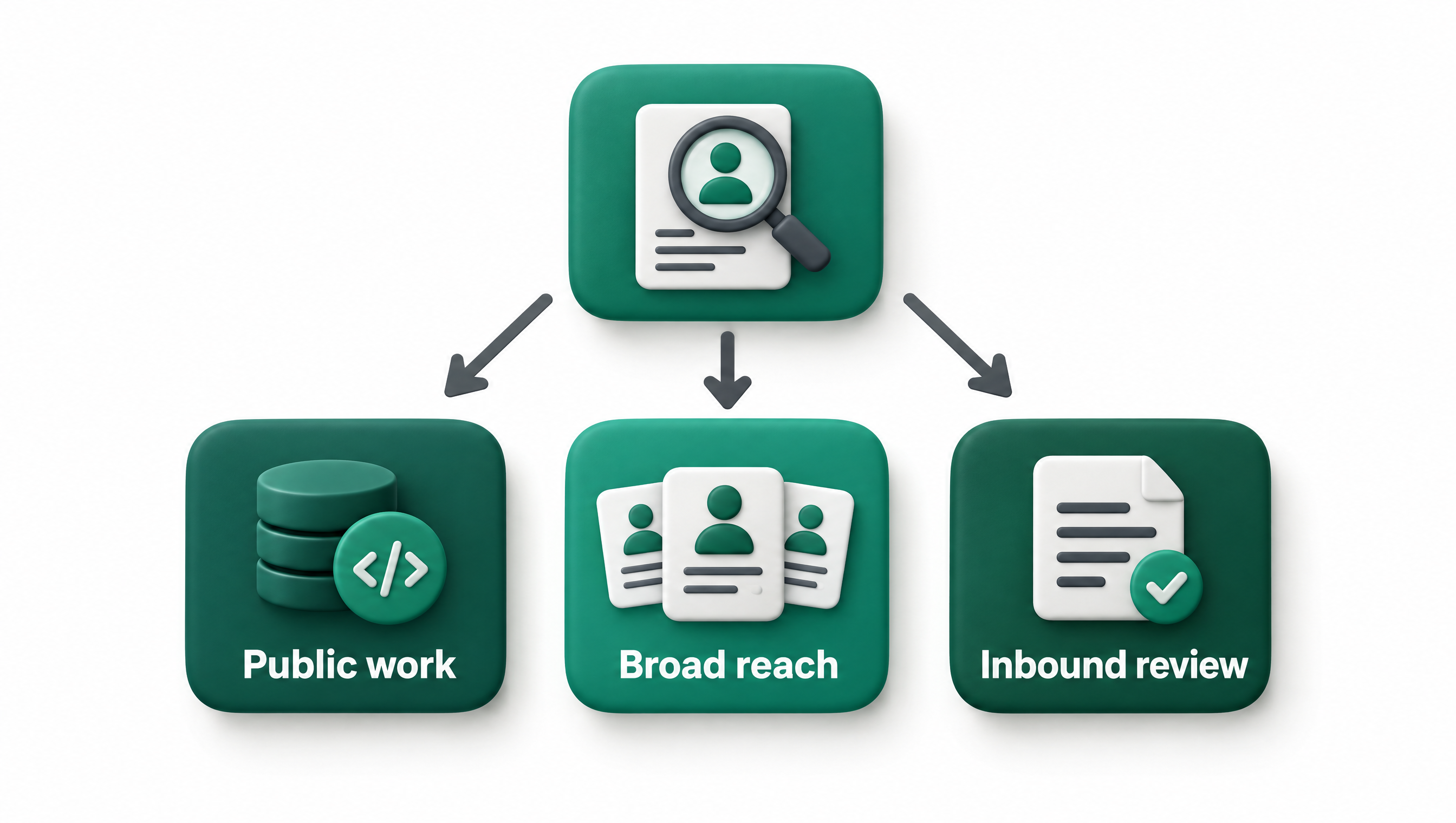
This guide covers four kinds of option rather than ranking named products. Only AyHire had enough confirmed product information for a useful assessment, so a multi-product ranking would create false precision. For teams hiring developers, the practical starting point is an evidence-led technical sourcing tool when public work matters. Choose a broad database when coverage matters more, an outreach platform when follow-up is the bottleneck, or an applicant screening system when candidates have already applied.
The short answer
There is no defensible ranked list here because fewer than three named alternatives had enough confirmed product evidence for comparison. The useful answer is to match the system type to your hiring stage, then test its search coverage, evidence quality, review controls and workflow fit with one real role before making a wider commitment.
- Evidence-led technical sourcing tools are best for developer hiring based on public work. They should help reviewers connect a recommendation to relevant repositories, contributions or other visible technical evidence. AyHire is the confirmed example covered on this page.
- Broad talent databases are best for building a wider initial pool. Check what profiles the system can search, how filters behave and whether results remain useful for a narrow role.
- Sourcing and outreach platforms are best for teams whose work continues through contact and follow-up. Decide whether you need discovery alone or discovery linked to message and response workflows.
- Applicant screening systems are best for reviewing people who have already applied. They address a different stage from outbound sourcing, so do not treat resume screening and candidate discovery as interchangeable.
| Option type | What it does | Best for | Pricing basis |
|---|---|---|---|
| Evidence-led technical sourcing | Searches public technical profiles and presents role-related evidence for review | Teams hiring developers where demonstrated public work matters | Not published |
| Broad talent database | Helps recruiters search a large profile pool using role and candidate criteria | Wider initial discovery across roles | Not published |
| Sourcing and outreach platform | Connects candidate discovery with contact and follow-up work | Recruiters managing outbound pipelines | Not published |
| Applicant screening system | Reviews information submitted by applicants after they enter a hiring process | Teams handling an existing applicant pool | Not published |
This table compares kinds of tools, not named products. Product scope varies, so ask each vendor to show the exact workflow you intend to use rather than assuming that a category label proves a feature is present.
How we ranked these
We did not rank named products. A fair ranking would require comparable, confirmed information for several products, including search scope, evidence, controls, integrations and pricing basis. Instead, we ordered the option types by their relevance to teams hiring developers and evaluating technical candidates, which is the audience for this guide.
AyHire is our product. We include it only where its confirmed scope fits, and we do not place it first by default in a named ranking.
The main evaluation rule is simple: prefer the smallest tool category that solves the actual sourcing problem while giving a human reviewer enough evidence to challenge its output. More functions do not automatically make a system a better choice. Extra workflow breadth can help, but it can also make evaluation harder if your team cannot separate search quality from outreach, screening or pipeline administration.
Use these criteria in order:
- Hiring stage. Decide whether you need outbound discovery, evidence for an initial review, outreach management or screening of applicants already in your process.
- Search scope. Identify the profiles and public records the tool can examine for the role you are filling.
- Evidence quality. Check whether each recommendation comes with specific findings that a recruiter or hiring manager can inspect.
- Role control. Test how the system handles must-haves, preferences, exclusions and ambiguous requirements.
- Human review. Confirm that a person can reject weak matches, inspect the basis for a recommendation and revise the search.
- Workflow fit. Map how results move into your current review, contact and tracking process.
- Data handling. Ask what data is used, how current it is and how corrections or deletion requests are handled.
- Commercial basis. Request the pricing unit, usage boundaries, contract terms and any charges tied to seats, searches, contacts or records.
We do not rank tools on marketing labels such as "AI recruiter" or on the number of functions named on a product page. Those labels do not tell you whether the system can find the right people for your role. We also do not rank on unconfirmed prices, popularity, customer counts, review scores or vendor claims that cannot be compared on the same basis.
A useful trial starts with a role your team understands well. Write down the must-haves before running the search, then review both plausible and weak results. That makes it easier to see whether the tool follows your criteria or merely returns profiles that contain familiar terms.
For technical hiring, involve someone who can inspect the underlying work. A recruiter may be able to judge role history and location, while an engineer or technical hiring manager can assess whether a repository, contribution or project actually supports the claimed match. The tool should help them review evidence. It should not replace that judgment.
Record the trial in a small scorecard:
| Trial check | What to inspect | Warning sign |
|---|---|---|
| Requirement handling | Whether must-haves and preferences stay distinct | Optional criteria silently become mandatory |
| Evidence | Whether a reviewer can trace each assessment to a profile or work sample | Conclusions appear without supporting links or context |
| Search control | Whether you can refine an overly broad or narrow result set | The system offers no practical way to correct the search |
| Review effort | How much manual checking is needed before contact | The output creates more verification work than it removes |
| Workflow handoff | Whether approved candidates can enter the next team step | Review decisions are trapped in a separate workspace |
| Boundaries | Whether the vendor states what the system does not assess | Broad suitability claims are made from limited profile data |
Do not judge a system only by the first few impressive profiles. Examine borderline results and exclusions because they reveal how the tool interprets your role. If the system cannot explain a recommendation well enough for your team to challenge it, treat the output as a lead rather than an assessment.
What are the main kinds of AI sourcing options?
The main choice is between evidence-led technical discovery, broad talent databases, sourcing with outreach and applicant screening. Each serves a different point in the hiring process. Start with the task causing delay, then reject categories that solve a later or earlier problem than the one you have.
Watch "I Tested 5 AI Sourcing Tools for Recruiters — Here's What Actually Works" on YouTube
Evidence-led technical sourcing
Evidence-led technical sourcing is designed for roles where public technical work can inform the first review. Instead of relying only on a job title or a list of skills, the workflow should connect a potential candidate to visible work that relates to the role. This is most useful when your team wants a smaller, reviewable set of developers and can involve someone who understands the technical evidence.
AyHire fits this category. It searches for people matching a role description and evaluates public profiles against specified must-haves. It reviews public GitHub work, presents links supporting profile findings, checks whether candidates may be open to work and creates a shared shortlist for team review. AyHire also makes role searches and shortlists available through Claude Code, Codex, Cursor and other agents over MCP, according to the AyHire developer candidate discovery page.
Best for
- Developer roles where public GitHub work is relevant to the hiring team's first review.
- Teams that want assessments linked to evidence before deciding whom to contact.
Strengths
- The role description and specified must-haves guide the search and evaluation.
- Profile findings include supporting links, which gives reviewers a way to inspect the assessment.
- A shared shortlist gives the team a common place to review selected candidates.
Limits
- It is focused on developers and public GitHub work, so it is not a general sourcing choice for every profession.
- Public work is only one part of a person's experience. It does not establish interview performance, private employment output or overall suitability.
- An open-to-work check can inform prioritisation, but your team still needs to contact the person and confirm current interest.
Who should skip it
Skip this category when the target role has little relevant public technical work, when you need a broad database across many professions or when your main problem is processing inbound applications. You should also skip it if your process cannot include human review of the evidence before outreach.
AyHire cannot make a hiring decision for you. It helps with candidate research and shortlisting, while your team remains responsible for validating role fit, contacting candidates, conducting interviews and making fair decisions.
If GitHub is central to your search, compare the workflow with the broader approaches in our guide to GitHub recruiting tools. Pay attention to whether a tool searches people, repositories, activity or a mixture, since those are different inputs and may support different conclusions.
Broad talent databases
A broad talent database is the more suitable category when your first requirement is reach across a large or varied market. The key test is not the apparent size of the pool. It is whether the system can translate your role into useful filters and return profiles that your team can verify without excessive manual cleanup.
This category can suit mixed hiring plans because a team may need to source developers, sales staff, operators or managers through one general workflow. That breadth creates a trade-off. A general profile may make conventional experience easy to scan, yet provide less direct evidence for a specialised technical requirement than a source focused on public work.
Best for
- Teams sourcing across several job families through one search process.
- Recruiters who need to expand an initial pool before conducting a deeper role-specific review.
Strengths
- A broad search category can support roles for which public technical work is not relevant.
- Common profile fields can make initial filtering easier to explain across a recruiting team.
- It can provide a practical starting point when the hiring team does not know where likely candidates are visible.
Limits
- A broad result set can produce plausible profiles that do not meet the role's actual must-haves.
- Profile fields may be incomplete, old or too general for a detailed technical judgment.
- Access to many profiles does not by itself establish relevance, interest or availability.
Who should skip it
Skip a broad database when your main need is to inspect demonstrated technical work and the product cannot connect its conclusions to that work. It may also be unnecessary if you already have enough candidates and your problem is screening, interview design or team decision-making.
When evaluating this category, ask the vendor to run a difficult role rather than a high-volume, familiar one. Include requirements that are easy to confuse, such as experience with related technologies that are not substitutes. Review why the system included each profile and whether exclusions can be corrected without rebuilding the whole search.
Test the difference between keyword presence and evidence of use. A profile can mention a technology in a summary without showing when, where or how the person used it. If the role depends on depth, your workflow needs a second review step that looks beyond matching text.
A database may also sit upstream from another system. Map the handoff before you buy. Decide who approves a profile, where contact details are checked, how outreach consent and preferences are handled, and where the final sourcing record lives.
Sourcing and outreach platforms
A sourcing and outreach platform is the better category when candidate discovery is already tied closely to contact, follow-up and recruiter pipeline work. Its value depends on the full workflow, so evaluate search quality separately from messaging functions. A convenient sequence cannot compensate for weak candidate relevance.
Teams considering this category should write down where sourcing ends and outreach begins. The search may identify a person, but a recruiter still needs to decide whether contact is appropriate, review the evidence and tailor the message. Automation should not turn an uncertain match into repeated outreach without a deliberate review point.
Best for
- Recruiting teams that manage sustained outbound pipelines and need one connected process.
- Teams whose main operational problem is moving approved prospects into consistent follow-up.
Strengths
- A connected workflow can reduce manual transfer between discovery and recruiter follow-up.
- Shared status information can help team members avoid overlapping work.
- Review steps can be placed before contact if the product allows clear approval controls.
Limits
- Strong outreach functions can hide weak search results during a product demonstration.
- Message generation does not prove that the recipient is relevant or interested.
- A larger workflow may require more setup, governance and team training than a focused sourcing tool.
Who should skip it
Skip this category if you only need candidate research and already have a reliable outreach process. It is also a poor fit when your team cannot define approval rules before automated or scheduled contact begins.
During a trial, separate the measurements. First examine whether the system finds appropriate people. Then check whether reviewers can approve, reject or pause them. Only after those checks should you assess message drafting, scheduling and status tracking.
Read generated messages as a candidate would. Remove unsupported personalisation and claims that infer motivation from public activity. A public contribution may support a technical discussion, but it does not automatically explain why someone would want your role.
The video below shows Weekday testing several AI sourcing tools for recruiters and discussing what worked in that test.
The video is a useful demonstration, not a substitute for testing your own role. Product behaviour, data access and commercial terms can change, while your requirements and approval process may differ from those shown.
Applicant screening systems
Applicant screening systems belong after candidates have entered your process. They may organise submitted information or help teams review it against job criteria, but that is not the same task as finding people to contact. Choose this category when applicant volume is the problem, not when the top of your funnel is empty.
The distinction matters because the available information is different. An applicant may provide a resume, answers or work samples for a stated role. An outbound sourcing system starts from public or licensed profile data and must help a recruiter decide whether contact is worth considering.
Best for
- Teams with an existing pool of applicants who need a consistent first review process.
- Hiring workflows where submitted resumes or application answers are the main inputs.
Strengths
- The workflow starts from people who have applied for a particular role.
- Teams can define review criteria around information requested in the application.
- Screening can be evaluated as a separate stage from outbound discovery and outreach.
Limits
- It does not solve candidate discovery when too few relevant people have applied.
- Resume text may omit context needed to judge specialist experience.
- Automated scoring can create false confidence if reviewers cannot inspect why a candidate received a result.
Who should skip it
Skip this category when you need to identify passive or previously unknown candidates. Do not buy an applicant screening system merely because it uses AI if your actual bottleneck is outbound sourcing.
If one product claims to cover both sourcing and screening, evaluate the stages independently. Use one test set for outbound discovery and a separate, appropriately handled set for applicants. Confirm that the system does not blur an early sourcing signal into a hiring recommendation.
Your team should also define what the system must never decide alone. A practical boundary is to use software to organise information and surface evidence, while people review context and make consequential decisions. Document who can override a result and how that correction is recorded.
What should you look for in AI candidate sourcing tools?
Look for fit with your hiring stage, transparent evidence, controllable role criteria and a practical handoff to human review. A tool should make it easier to inspect potential matches, not merely produce confident summaries. Test every important claim with a role your team knows and candidates whose relevance can be checked.
Search scope that matches the role
Start by listing the sources that could contain meaningful evidence for the position. For a developer role, public code and contribution context may matter. For another profession, job history, credentials, portfolios or domain-specific records may be more useful. The right scope follows the role rather than the product's preferred dataset.
Ask the vendor to state what is searched and what is not. Then inspect several results for missing context. If the tool relies on one public source, decide whether that creates an acceptable view of the talent market or leaves out people who do relevant work privately.
Search scope also affects the claims you can make. A system that examines public work can describe evidence visible there, but it should not imply knowledge of private work or current job performance. Keep your review language tied to what the source actually shows.
Evidence a reviewer can inspect
A useful result should let your team move from a conclusion to its basis. For example, if a profile is described as meeting a technical must-have, the reviewer should be able to see the public profile or work that supports that assessment. A generic confidence statement is less useful than a specific, linked finding.
Check evidence at the individual criterion level. One link attached to an entire profile may not explain which requirement it supports. Ask whether reviewers can distinguish direct evidence, inferred relevance and missing information.
Evidence also needs context. A repository name, skill label or job title may be suggestive without proving depth. Your process should allow a reviewer to mark a point as confirmed, uncertain or unsupported rather than forcing a simple match decision.
Control over must-haves and preferences
Write role criteria before entering them into the tool. Separate requirements that genuinely rule someone out from preferences that help order a review. If everything is marked mandatory, the search may become too narrow. If everything is optional, the results may look broad but require substantial manual checking.
Test how the system handles a near match. Give it a requirement that related experience does not satisfy, then inspect whether the explanation preserves that distinction. This can reveal whether the system follows your hiring logic or treats nearby terms as equivalent.
Avoid criteria that act as vague proxies for quality. Define the work, environment or responsibility you actually need. That makes results easier to review and gives candidates a clearer basis for discussion later.
Human review and correction
A reviewer needs a practical way to reject a weak recommendation and refine the search. Ask whether the product records why someone was removed, whether criteria can be edited and whether the next result set reflects that change. A correction process is more important than a polished first answer.
Decide who reviews which evidence. Recruiters can own role alignment and sourcing process checks, while technical reviewers inspect specialised work where needed. Keep the division explicit so each person knows what the software has assessed and what remains open.
Do not let a shortlist become a final judgment. It is a research output that helps the team decide whom to review or contact. Interviews, candidate-provided context and fair hiring controls still belong in the later process.
Workflow fit and integrations
Map the steps after a useful candidate appears. Someone must review the evidence, approve contact, record the outcome and avoid duplicate work. A tool can have strong search results yet create friction if shortlists cannot be shared or decisions cannot move into your established process.
Do not start with an integration checklist. Start with the handoff that causes errors or delay, then ask the vendor to demonstrate that exact path. This prevents a broad integration claim from replacing proof that your specific workflow works.
AyHire offers shared team shortlists and makes role searches and shortlists available through Claude Code, Codex, Cursor and other agents over MCP. Those options may suit teams already working in those environments, but they do not remove the need to review candidate evidence before action.
Clear boundaries
A credible product evaluation includes what the system cannot establish. Public data may help with discovery and an initial evidence review, but it cannot replace direct conversation with a candidate. It may also omit work completed in private systems or under confidentiality obligations.
Ask vendors to distinguish observed information from generated interpretation. Then check whether the interface preserves that difference. If a summary turns uncertainty into a firm statement, reviewers may carry that error into outreach or screening.
Set boundaries in your own process too. Decide which data may be used, which decisions require a person and how candidates can raise errors. The product should fit those rules rather than define them for you.
How do you choose the right option?
Choose by locating the first broken step in your hiring process. If discovery is weak, compare sourcing categories. If evidence review is slow, favour inspectable findings. If contact work is fragmented, assess outreach workflows. If applications are already plentiful, evaluate screening rather than adding another sourcing system.
Choose AyHire for evidence-led developer discovery
Choose AyHire when you are hiring developers and want public GitHub work assessed against specified role must-haves. It is particularly relevant when recruiters and technical reviewers need linked evidence and a shared shortlist before the team decides whom to contact.
Start with one role description and make the must-haves explicit. Review whether each finding supports the stated criterion, then inspect the linked public profile yourself. Treat open-to-work status as a prioritisation input rather than confirmation that the person will consider your role.
Do not choose AyHire as a general database for every job family. Its confirmed focus is developer candidate discovery through public GitHub work. If that source has little bearing on your role, another category will fit better.
Choose a broad database for cross-role reach
Choose a broad talent database when you need one discovery surface across several kinds of role or when the relevant candidate signals are spread across standard professional profiles. Your trial should focus on relevance, filter behaviour and the amount of checking required after search.
Use a hard role in the evaluation. Ask reviewers to label why each candidate is relevant and record which must-haves remain unproved. If the product produces volume without enough context for review, the apparent breadth may create more work downstream.
Check how approved profiles leave the database. A useful search can still fail operationally if ownership, notes or contact decisions are lost during handoff.
Choose sourcing plus outreach for outbound operations
Choose a combined platform when your team already knows that discovery and follow-up must operate in one managed process. Test candidate relevance first. Then test approvals, message review, pausing and status visibility as separate capabilities.
Set a rule that no person enters automated follow-up solely because the system returned a match. A recruiter should check role fit, evidence and contact appropriateness. This reduces the chance that search errors become repeated messages.
Skip the wider platform if a focused sourcing tool can feed your existing outreach process without painful manual work. Buying overlapping functions can make ownership less clear.
Choose applicant screening for an inbound queue
Choose applicant screening when enough people already apply and the team needs a clearer way to organise the first review. Define the submitted information the system may use and ensure reviewers can inspect the basis for any score, summary or ordering.
Keep outbound sourcing criteria separate from applicant decisions. A signal that is useful for finding someone does not automatically justify rejecting an applicant. Review the system within the stage and data context for which it is intended.
If you have both an outbound gap and an inbound review problem, evaluate them as two purchases even when one vendor offers both. This makes weak performance in one stage easier to detect.
Before choosing, run a documented trial with a real role. Record the search inputs, evidence quality, reviewer corrections, handoff steps and unresolved limits. If you are hiring developers from public work, you can start by reviewing developer candidate discovery with AyHire and compare it with the other categories above.
FAQ
Ai candidate sourcing tools free
Free access, if offered, should be judged by what it lets you test rather than by the price label alone. Confirm whether you can run a real role, inspect supporting evidence, refine criteria and share results with the people who will review them. Pricing and free-plan details for the option types in this guide are not published here, so request current terms directly before deciding.
Best ai candidate sourcing tools
The best AI candidate sourcing tools are the ones that fit your hiring stage and produce evidence your team can verify. For developer discovery based on public GitHub work, AyHire is the confirmed specialist option covered here. A broad database, outreach platform or applicant screening system may be a better category when your main need is different.
What are the best sourcing tools for recruiters
The best sourcing category for a recruiter depends on whether the problem is discovery, evidence review or outbound follow-up. Use a broad database for reach across job families, an evidence-led technical tool for public developer work, and a sourcing plus outreach platform when approved prospects must move into managed follow-up. Evaluate search quality before convenience features.
Best ai recruiting tools 2025
A list labelled for 2025 may no longer reflect current products, features or commercial terms. As of November 10, 2026, use current vendor information and test the workflow with one real role. Do not choose based only on an older roundup or a product's AI label.
AI resume screening tools
AI resume screening tools help with applicants already in your hiring process, while AI candidate sourcing tools help identify people who may not have applied. Choose screening when you have an inbound review problem. Choose sourcing when you need to find potential candidates, and keep human review in both workflows.
AI hiring tools
AI hiring tools can refer to products used for sourcing, outreach, applicant review or other hiring stages. Define the stage before comparing products because tools with the same broad label may solve different problems. Ask each vendor to demonstrate your exact task and state what remains for a person to decide.
AI for recruiters
AI can support recruiters by organising role criteria, finding possible candidates, presenting profile evidence or assisting with workflow tasks. It should not turn limited profile data into a final judgment about a person. Recruiters should inspect evidence, correct weak results and keep consequential decisions under human review.
Sourcing tools for procurement
Procurement sourcing tools are outside the scope of this guide. This page covers candidate sourcing for recruiting, especially teams hiring developers and evaluating technical candidates. Use procurement-specific criteria when selecting systems for suppliers, purchasing or spend management.
After you identify the right category, document a small trial before making a wider commitment. For developer roles where public GitHub evidence matters, AyHire can help your team research potential candidates and review an evidence-linked shortlist.
Sources
- AyHire developer candidate discovery, evidence-backed shortlists and agent integrations
- Weekday, "I Tested 5 AI Sourcing Tools for Recruiters, Here's What Actually Works"
Last checked: 2026-11-10